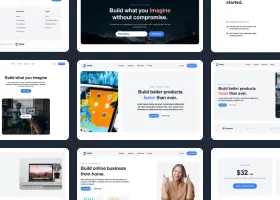
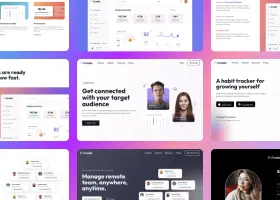
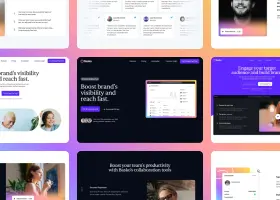
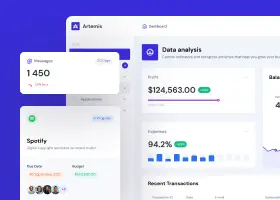
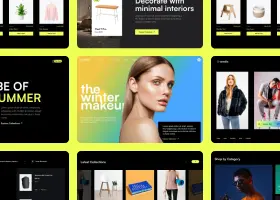
Automate personalized design outreach with the Design CLI. Instantly redesign prospect websites, preview locally, and send polished outreach emails with redesign links via Resend.
Features
Generate redesigns, review every prospect locally, and send polished email outreach from one automation flow.
Run from the command line:
npm run redesigns
npm run preview
npm run send-emails
Setup
This setup assumes you already have Shuffle's Design CLI installed.
Move the Design Outreach Automation Example to the directory where you want to run and customize it.
From installed CLI package
cp -R ./node_modules/@shuffle-dev/cli/examples/redesign-offer-automation ./redesign-offer-automation
From GitHub
git clone https://github.com/shuffle-dev/cli
cp -R ./cli/examples/redesign-offer-automation ./redesign-offer-automation
Run this inside the directory where you copied redesign-offer-automation.
npm install
On the same user account that will run the automation.
npx @shuffle-dev/cli auth
.envCopy the example file, then fill in your tokens. See all available environment variables.
cp .env.example .env
Model — set one:
Email sending:
Start from the example. The file is gitignored so prospect data stays local.
cp prospects.json.example prospects.json
prospects.json
[
  {
    "email": "name@example.com",
    "url": "https://example.com",
    "redesign": "",
    "email_sent": ""
  }
]
Leave redesign empty when the prospect needs a new redesign. Leave email_sent empty when the email still needs to be sent.
Edit email-template.html to change the HTML email content and styling.
Edit REDESIGN_PROMPT in src/shuffle.js to change the default redesign prompt used by npm run redesigns.
For a one-off prompt override, run:
npm run redesigns -- --prompt "Your redesign instructions here"
Commands
Creates missing redesigns for prospects and stores output file paths in the redesign column.
npm run redesigns
Starts a local preview server for all generated redesigns.
npm run preview
Sends emails to prospects who have a redesign file but an empty email_sent.
npm run send-emails
The email command renders email-template.html and passes these parameters:
subject — escaped email subjectemail — escaped recipient emailwebsiteUrl — escaped prospect website URLmodelsHtml — generated HTML for all model responses with screenshot imagesShuffle Account
The tool uses your Shuffle account via Shuffle CLI to create redesigns. Authenticate on the same user account that runs the automation.
Design generations consume AI tokens. To verify your token balance, visit the dashboard. If you run out of tokens, you can purchase more.
Authenticated CLI
Run npx @shuffle-dev/cli auth on the machine that runs the automation.
Token balance
Each design generation consumes AI tokens. Monitor usage in your Shuffle dashboard.
All top AI models
Set SHUFFLE_MODEL to any supported model, or use SHUFFLE_ALL_MODELS=true to run all redesign-capable models.
Configuration
SHUFFLE_CLI
CLI command to run. Defaults to npx @shuffle-dev/cli.
SHUFFLE_MODEL
Model ID to use. Use either SHUFFLE_MODEL or SHUFFLE_ALL_MODELS=true — not both.
SHUFFLE_ALL_MODELS
Set to true to run all active redesign-capable models.
SHUFFLE_SCREENSHOT
Set to false to skip screenshot generation.
SHUFFLE_TIMEOUT_MS
CLI timeout in milliseconds. Defaults to 900000.
RESEND_API_KEY
Resend API key for sending emails.
EMAIL_FROM
Verified sender used by Resend. Example: Offers <offers@example.com>.
EMAIL_SUBJECT
Email subject line. This is not templated — used exactly as written.
EMAIL_REPLY_TO
Optional reply-to address.
PREVIEW_HOST
Local preview server host. Defaults to 127.0.0.1.
PREVIEW_PORT
Local preview server port. Defaults to 3333.

Build websites faster with an AI Visual Editor



© 2026 Shuffle. All rights reserved.